
Executive Functions and Technology
Your child may struggle to start homework yet run a complex game world for hours. Once you understand what is happening underneath, that contrast becomes one of the most useful things you can know about how they work.
Part 1
Why Technology Is Different for Kids with Executive Functioning Challenges
Many children who have executive function challenges also display some of the signs and symptoms, or perhaps even a diagnosis of:
- ADHD
- Autism Spectrum Disorder
- Learning Disabilities
- Mood or Anxiety Disorders
- Behavioral Disorders
Children display symptoms such as inattention, sadness, sensory difficulties, and struggles to process or learn new information, but do not warrant a formal psychiatric diagnosis. However, it is quite common to see these children struggle with executive functioning skills, which may interfere with their performance at school, getting things done at home, or managing their own behaviors and emotions. This often bleeds into struggles in managing their own use of technology effectively. Oftentimes, this will be an area of conflict and disagreement in homes. As with the psychiatric diagnosis, the potential impairments of technology, of AI, of screen time present very specific challenges with these types of kids.
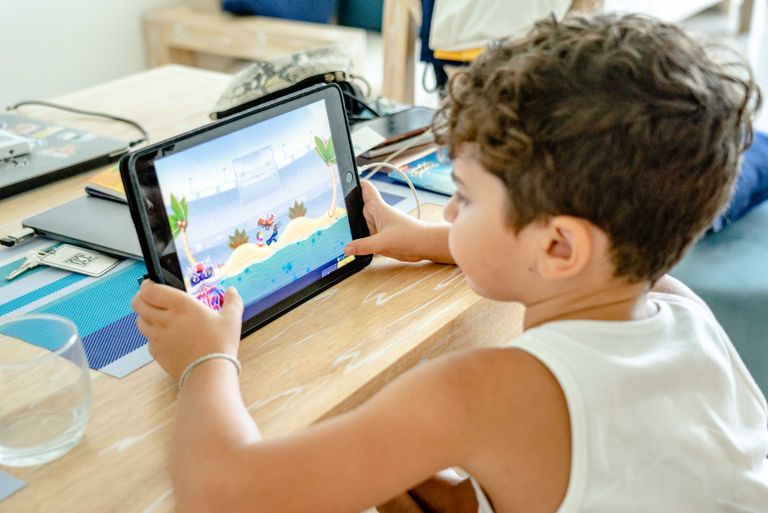
Conversely, some of these same kids can seem to be masters of their technological universe. You have probably seen the pattern. The same child who needs five prompts to start a worksheet will plan, organize, and problem-solve for two hours inside a game without being asked once. They are often described as smart but not living up to their potential, with a chaotic backpack, a lost sense of time, and a tendency to fall apart over small frustrations.
Executive functions are the brain’s management system: the skills that get a task started, hold steps in mind, track time, organize materials, sustain effort, and shift strategies when something is not working. At Digitally Nutritious we treat each one as a skill that can be taught and practiced, not a fixed trait.
To learn more about executive functions and how we define them and understand them in our work, click on the following link: A Skills-Based Model of Executive Functions.
A Skills-Based Model of Executive Functions
1. A useful model in describing executive functions is to divide them into cold and hot executive skills. Cold executive function skills primarily help a child manage information, time, and tasks.
2. Hot executive function skills primarily help a child manage impulses and emotions when the stakes feel personal. This page focuses on the cold, learning-management skills. The hot skills, such as response inhibition and regulation of affect, overlap heavily with behavioral and mood concerns, and we address them in the behavioral and mood materials rather than here.
Technology is different here for a specific reason. Digital environments are at once the most executive-function-demanding context a child encounters and the most motivating one. A game or an app quietly requires working memory, time management, planning, and inhibitory control, the very skills that make ordinary demanding tasks feel aversive, yet it delivers constant stimulation, immediate feedback, and a clear next step that keep the child engaged anyway. On top of that, technology is increasingly sold as an executive function support tool. That combination is what makes this category worth understanding carefully.
In the digital world that our children are growing up in, it makes most sense to view games and apps and other technologies as sometimes being helpful and other times being harmful. Don’t throw them all out or embrace them all. Maybe even more importantly, your child, with their unique characteristics, may benefit from some game and app use, yet at the same time be harmed by others. And while some kids will clearly benefit from using technologies to support, practice, and later master executive functioning skills, it’s important to recognize when these are needed and not to rely solely upon them.
|
What you see at home |
The executive funtion involved |
Why tech engages it |
|---|---|---|
|
Can’t get started on tasks but opens a game instantly |
Task initiation, the skill that gets a task moving, is selectively impaired for low-reward work |
A reminder or single tap on a device the child already checks can prompt the first step, with no mental warm-up required |
|
Forgets multi-step directions halfway through |
Working memory, holding steps in mind, is often limited |
The app or screen holds the steps, so the child does not have to keep them all in mind |
|
Loses track of time and misses transitions |
Time management and the internal sense of time passing are genuinely impaired, not disregarded |
A buzz or alert on the phone they check constantly, or a visible timer, makes the passage of time tangible |
|
Backpack and room stay chaotic despite reminders |
Organization, arranging materials and information systematically, takes sustained effort |
A checklist or task app the child actually opens keeps the details in one place and lightens the load |
|
Gives up when work gets hard or boring |
Goal-directed persistence requires holding a goal in mind through effort that offers no immediate payoff |
Points, streaks, and small challenges, in apps as much as games, sustain effort across difficulty |
Part 2
What Technology Can Help With
There are several ways technology can help a child with executive function challenges. It helps to see them as a progression: accommodation, support, practice, and, further along, mastering a skill and then synthesizing and applying it more widely. Technology often helps by providing practice, letting a child exercise a skill again and again. Just as valuable, and sometimes more so, is support, where the child and the technology together can get something done that the child could not manage alone. The goal is not for the technology to do the work. It is to give the child a tool, and the habit of reaching for it, so the work gets done.
One idea runs through all of this. When the support is a technology, it does not have to fade toward independence. Using a tool as an ongoing support is a strategy we want to promote. Here practice is what teaches a child to use the tool to support themselves, until it becomes a habit and a kind of expertise. That expertise may lie less in the bare skill, such as organization, and more in reliably using the technology to stay organized, and in knowing when to reach for it.
1
Working Memory and Holding Steps in Mind
Tools that keep steps visible, such as checklists, reminder lists, and simple step-by-step guides, carry the information a child would otherwise have to hold in mind. A list on a device the child checks anyway, or a note that appears at the right moment, does the remembering so the child can focus on doing. The aim is for the child to get in the habit of using the tool, not to eventually stop needing it.
2
Task Initiation and Getting Started
Starting is often the hardest part. A reminder that arrives at the right moment, a single-tap prompt, or a first step already laid out can get a child moving when a blank page would leave them stuck. The technology does not do the task. It lowers the barrier to beginning it.
3
Time Awareness and Management
A task app, calendar, or reminder system holds the details so the child does not lose them. A list the child keeps on a device they already rely on, and returns to and updates, puts organization somewhere other than their overloaded memory. The goal is not for the child to outgrow the tool but to build the habit of using it, and to recognize when it is needed.
4
Organization and Keeping Track
A task app, calendar, or reminder system holds the details so the child does not lose them. A list the child keeps on a device they already rely on, and returns to and updates, puts organization somewhere other than their overloaded memory. The goal is not for the child to outgrow the tool but to build the habit of using it, and to recognize when it is needed.
5
Planning and Strategy Through Play
Strategy games, building games, and management simulations ask a child to plan ahead, weigh resources, and adjust when a plan is not working. A child building in Minecraft or running a simulation is practicing planning, as long as an adult helps connect what happened in the game to the planning the child has to do in real life.
Part 3
What to Watch Out For
The same features that make technology useful for executive function can also amplify the challenges. Thinking clearly about these is not pessimism; it is what makes the rest of the approach work.
Skills Don’t Transfer Automatically
This is one of the most consistent findings in the field: getting better at planning inside a game does not automatically make a child plan better at school. A child can be an expert organizer in a game world and still struggle to manage a backpack. Technology is a tool. The person who helps the child carry the skill from the game into daily life is what makes it work.
The Tool Supports the Doing, It Does Not Replace It
Used well, technology can improve how effectively a child applies executive functions across many settings, at home, at school, and beyond. The thing to watch is not that a child leans on a tool. Ongoing reliance on a good tool is fine, and often the point. It is that the tool should support the child’s own doing, remembering, and managing, rather than removing the need to do, remember, or manage at all.
A Tool That Helps Is Different From One That Does It For You
These supports work because the child is still doing the task. The tool reminds, prompts, or holds information, but the child still has to act, remember, and manage their time. Watch the growing set of tools, especially those built on AI, that will simply do the task instead. When the technology does the thinking, the child practices nothing, and the reason for using it is lost.
Time Blindness Gets Worse on Screens
Screens provide almost no natural time cues. There is no sunset, no household winding down for the night, none of the rhythms that signal time passing elsewhere. The child with the weakest internal clock ends up in the environment with the fewest external ones. Build time awareness in on purpose, with visible timers and agreed stopping points, rather than expecting the child to manage it alone.
Sleep and Movement Still Matter Most
Screen time before bed disrupts sleep in children who already settle poorly, and vigorous physical exercise has some of the strongest evidence available for improving attention and executive function. Technology works best when it sits alongside movement and protected sleep, not in place of them.
Part 4
Sources for Research and Additional Information
Can Playing Video Games Improve Executive Function?
Kulman, R. — Psychology Today, Screen Play (2020).
Executive Functions
Diamond, A. — Annual Review of Psychology, 64, 135–168 (2013).
https://www.annualreviews.org/content/journals/10.1146/annurev-psych-113011-143750
How to Sharpen Executive Functions: Activities to Hone Brain Skills
Diamond, A. — ADDitude Magazine (2023).
https://www.additudemag.com/how-to-improve-executive-function-adhd
Conclusions About Interventions, Programs, and Approaches for Improving Executive Functions That Appear Justified and Those That, Despite Much Hype, Do Not
Diamond, A., & Ling, D. S. — Developmental Cognitive Neuroscience, 18, 34–48 (2016).
https://doi.org/10.1016/j.dcn.2015.11.005
Use of Serious Games in Interventions of Executive Functions in Neurodiverse Children: Systematic Review
JMIR Serious Games (2024).
https://www.ncbi.nlm.nih.gov/pmc/articles/PMC11694043
Promoting Executive Function Skills in Preschoolers Using a Play-Based Program
Frontiers in Psychology (2021).
https://www.frontiersin.org/journals/psychology/articles/10.3389/fpsyg.2021.720225/full
Join our Newsletter!
More about Executive Functions and Technology





Finding the Right Technology for Your Child
No single app, game, or platform is right for every neurodivergent child. That’s why Digitally Nutritious maintains a searchable database of technology guides designed specifically for neurodivergent kids and teens.
Each guide explains why a tool may be helpful, which skills it supports, what to watch out for, and how to use it intentionally.
The goal isn’t to find “more” technology—but to find better-fit technology that supports your child’s development, strengths, and long-term growth.