
Learning and Processing Differences and Technology
For children with learning disabilities, technology can be genuinely helpful. The key is matching the tool to the specific skill the child is trying to build or access.
Part 1
Why Technology Is Different for Kids with Learning and Processing Differences
For children with learning and processing differences, technology is one of the most genuinely useful categories on this site. That is true whether a child has a formal learning disability, such as dyslexia, dysgraphia, or dyscalculia, or a difference in how efficiently they take in and produce information, such as slow processing speed or an auditory, visual, or language processing difficulty. These are specific difficulties, not a measure of a child’s overall ability. The children who have them are often capable, insightful, and creative, and they have usually spent years experiencing the gap between what they understand and what they can produce.
The reason technology helps so much here has less to do with novelty than with what these children actually need, and what technology is unusually good at providing: patient repetition, immediate and non-judgmental feedback, and access to grade-level content that a specific skill deficit would otherwise block. A child with dyslexia who cannot yet decode a fourth-grade chapter book can still think about the ideas in it, and a synchronized audiobook with highlighted text lets her do both. A child with dysgraphia who cannot yet translate her thoughts into legible writing can dictate them and let her verbal intelligence reach the page. A child with dyscalculia who loses heart after the fifth wrong answer can practice the same facts in an app that will cheerfully offer the five hundredth try.
It also helps to think about where technology does its work. It can change the input, by substituting audio for text, amplifying a teacher’s voice above classroom noise, or providing visual aids that match a child’s processing style. It can change the output, by substituting typing or dictation for slow handwriting and giving a child ways to produce work that reflect what they actually know. The middle step, the internal processing itself, is less directly helped by technology in most cases. But making the input and the output more accessible is often enough to make a visible difference.
There is a quieter contribution as well. For many of these children, school repeatedly measures the showing rather than the knowing, and a capable child can come to see herself as a struggling one. Tools that let her actual understanding reach the page can change the story she tells about herself. None of this replaces teachers, tutors, or specialized instruction. The research on learning disabilities is clear that evidence-based instruction, particularly for reading, matters enormously, and that technology works best when it supports that instruction rather than replacing it.
|
What you see at home |
What’s happening in the brain |
Why tech engages it |
|---|---|---|
|
Avoids books and resists reading homework, but is genuinely engaged by a highlighted e-book paired with a synchronized audiobook, or by audiobooks while following along in the physical book. |
Decoding text is effortful and often shame-filled for a child with dyslexia. When the printed word is supported by a simultaneous spoken version, the child can follow meaning at grade level while still seeing the text and mapping sound to print. |
Synchronized audio-and-text tools provide real-time scaffolding rather than bypass. The child is still looking at print, still building the sound-to-letter connections, and no longer carrying the entire decoding load alone. Comprehension catches up to intelligence. |
|
Speaks complex, interesting ideas aloud but produces minimal or fragmentary written work. Homework takes three times longer than it should. |
Slow processing speed makes written work frustrating and often painstaking. Many children cannot put this into words and instead give up quickly or rush through their work. |
Typing programs, dictation tools, and speech-to-text software allow verbal intelligence to reach the page without the handwriting bottleneck. The child’s real capacity becomes visible to teachers, to parents, and, often most importantly, to the child. |
|
Struggles with math facts and resists worksheets, but will happily practice the same skills in an inexpensive app or game with bright feedback and small rewards. |
A child with dyscalculia or general math difficulties needs significantly more practice than a typical peer to develop fluency. Traditional paper-and-pencil practice is slow, unrewarding, and carries the weight of repeated failure. |
Well-designed math apps provide immediate, non-judgmental feedback and can deliver hundreds of repetitions at the exact difficulty level the child needs. The practice itself is most of the value, and the child is often willing to do it. |
|
Starts school assignments on a laptop and within minutes is on YouTube, a game, or something else entirely. |
Children with learning disabilities are working harder than their classmates at the same task, and the effort cost of academic work is genuinely high. When an engaging alternative is one click away, the pull toward it is strong. |
Devices that are academic tools are also entertainment devices. For a child whose academic work is particularly effortful, the distraction is both more tempting and harder to resist. This is one of the most reliable patterns teachers report. |
Part 2
What Technology Can Help With
For children with learning and processing differences, technology genuinely belongs on the helpful side of the ledger more than it does for most other profiles on this site. The key is matching the tool to the specific skill the child is trying to build or access, and to whether the bottleneck sits at the input, in the middle, or at the output.
1
Synchronized Audio-and-Text Reading Tools
Tools that pair a spoken recording with synchronized highlighted text are among the most useful technologies available to children with dyslexia and other reading difficulties. Unlike a plain audiobook, which bypasses print entirely, these tools keep the child’s eyes on the words while a voice carries the cognitive load of decoding. The child builds comprehension and vocabulary at grade level while still practicing the sound-to-print mapping that reading fluency depends on.
2
Audiobooks, ebooks, and Text-to-Speech for Grade-Level Access
For children who read slowly, audiobooks and text-to-speech let them engage with grade-level content at grade-level speed. Adjustable fonts and spacing and reading-ruler overlays let a child engage with the same ideas as classmates rather than being held to a reading level below their intellectual level. For a child whose reading rate, rather than decoding, is limiting comprehension, this can be transformative. Used alongside direct reading instruction rather than instead of it, these access tools keep a child intellectually engaged while their reading skills continue to develop.
3
Dictation as a Skill, Not Just a Tool
Dictation can be transformative for children whose handwriting, spelling, working memory, or slow output makes getting ideas onto paper feel impossible. The crucial thing to understand is that effective dictation is a skill that has to be learned, not simply a tool handed to a child. A child has to learn to speak in written prose, to organize thoughts before speaking, and to treat the dictated draft as a starting point that still needs editing. Taught properly, dictation can move a bright child from producing the written work of a much younger child to producing work their verbal intelligence would predict.
4
Typing, Including Game-Based Programs
For children with dysgraphia, slow handwriting, or the motor slowness that often accompanies slow processing speed, learning to type fluently is one of the highest-leverage interventions available. For some children, a keyboard can remove the fine-motor bottleneck and let ideas flow closer to the speed of thought, but only if the child builds real fluency. A child who hunts and pecks is not getting the benefit. Game-based typing programs make the practice engaging, and children who will not do thirty minutes of drills will often happily do thirty minutes of a typing game.
5
Lecture-Recording Note-Taking Apps
For children who cannot keep up with the pace of classroom note-taking, tablet apps that record the audio while the child writes or types are one of the most useful tools available. The child can later tap on any word and hear exactly what the teacher was saying at that moment. This directly addresses the input-level problem of trying to listen, understand, and transcribe all at once. What gets missed in the moment is no longer permanently lost, and the child can review at their own pace.
6
Remote Microphone and FM Systems for Auditory Processing
For children with auditory processing difficulties, remote microphone or FM systems, in which the teacher wears a small microphone that transmits directly to an ear-level receiver, are among the most evidence-supported technologies in this entire area. Research going back more than a decade consistently shows improvements in classroom speech perception, academic performance, and, with prolonged use, changes in underlying auditory processing itself. Families dealing with suspected or diagnosed auditory processing disorder should ask an audiologist about these systems specifically.
7
Timers and Time-Management Tools for Processing Speed
Children with slow processing speed often have little internal sense of how long things take, because their pace is so different from the pace they are compared against. Visible timers, time-blocking apps, and structured planners help a child externalize time, see it, and gradually develop a more accurate sense of their own pace. This is not about rushing them. It is about giving them a tool to manage the gap between their time and school time.
8
Video Games That Require Reading
One of the least-recognized categories of reading practice is mainstream video games that require reading to succeed. Many popular games ask children to read dialogue, quest descriptions, and in-game text in order to progress, often at a level harder than what the child will voluntarily read elsewhere. For a child who resists a book but plays enthusiastically, these games can deliver hundreds of hours of motivated reading practice. They do not replace reading instruction, but a child practicing reading inside a game they love is practicing reading.
9
Inexpensive, Well-Chosen Apps for Targeted Practice
A ninety-nine-cent app that a child will practice with for two hours is often worth more than an expensive program the child resists. The market is uneven, but a well-chosen app that matches a specific skill, such as phonics, math facts, or sight words, can deliver the quantity of practice these children need in a format they will actually use. Educational games and edutainment have existed for decades, and the research, while mixed, has consistently shown that well-designed practice can help children learn reading and math, sometimes more effectively than paper and pencil alone. Parents should feel free to try several inexpensive options and drop the ones that do not work.
One quiet benefit runs through all of these. Age-appropriate, reliable resources, in writing and in video, can help an older child understand that they have slow processing speed, a reading difference, or an auditory processing difficulty, and that this is specific, namable, and shared by many capable people. For a child who has been carrying a story about themselves as dumb or lazy, that understanding can be a turning point in its own right. And a reminder: these tools work best paired with an engaged and supportive family and school, not as a substitute for one. Technology can support these skills. It cannot develop them on its own.
Part 3
What to Watch Out For
Technology is especially useful for these children, but it is also especially easy for otherwise helpful tools to stop doing what they were meant to do. The cautions here are less about catastrophic risk and more about the specific ways that support can quietly turn into something else.
Distraction on the Same Device
The laptop or tablet that is the child’s assistive technology is also the device that runs games, videos, and everything else. For a child who is already working harder than classmates at the same task, the pull toward distraction is strong and the ability to resist it is genuinely limited. Schools and parents often hand a child a device as a support, only to find most of that time going to something other than the intended work. The fix is rarely the child’s willpower. It is the setup: device modes, site blockers, single-purpose configurations, and adult presence during homework time all do more here than lectures about focus.
Assistive Technology as Scaffold, Not Bypass
There is an important distinction between using technology to access learning while still building the underlying skill, and using it as a complete bypass that prevents the skill from developing. The same principle applies to spell check that quietly corrects every error without the child noticing the pattern, and to dictation that replaces handwriting practice entirely in the years when some handwriting is still developmentally expected. The tool is not the problem. The question is whether it is doing some of the work while the child keeps building the skill, or doing all of it.
Assistive Technology as Bypass Instead of Scaffold
There is an important distinction between using technology to access learning while still building underlying skills, and using it as a complete bypass that prevents the skills from developing at all. The same principle applies to spell check that quietly corrects every error without the child noticing the pattern, and to dictation that replaces handwriting practice entirely in the years when some handwriting capacity is still developmentally expected. The tools are not the problem. The question is whether the tool is doing some of the work while the child continues to build the skill, or whether it is doing all of the work.
Audiobooks and Text-to-Speech Before Foundational Reading Skills Are in Place
Audiobooks and text-to-speech are genuinely valuable, but timing matters more than parents are usually told. For a child whose foundational decoding skills are not yet developed to at least a modest level, routine listening instead of reading can short-circuit the very skills the child most needs to build. The effort of early reading is the mechanism by which the skills develop. The clinical guidance is straightforward: these tools should become regular parts of the day once a child has reached a modest level of decoding mastery, roughly a third- to fourth-grade level where they can struggle through grade-appropriate text on their own. Before that point, audio used as the primary source of content can delay the skills the family is working to build. After it, these become among the most useful tools available. The child’s reading specialist or tutor is usually the right person to help parents know when.
Fast-Paced Content That Outruns Processing Speed
Much digital content, including some educational apps, is engineered to move faster than a child with slow processing speed or an auditory or visual processing difference can keep up with. The child can appear engaged while retaining little, and the content moves on before comprehension catches up. Tools that let the child pause, rewind, and adjust speed are worth actively seeking out. Content that does not allow this is often a poor fit, even when it looks educational.
Accommodations as Ongoing Support Rather Than a Crutch
For many of these children, some accommodations are genuinely necessary rather than temporary. A child who needs dictation at fourteen may still need it at forty, and that is fine. But while a child’s skills are still developing, it is worth asking whether a given tool is doing some of the work while the child keeps building the underlying skill, or doing all of it in a way that halts development. Typing fluency, for example, is worth building even in a child who can dictate, because both skills are useful in different situations.
Fast-Reaction Games That Reinforce the “I’m Slow” Identity
Children with slow processing speed often struggle in fast action games and competitive multiplayer titles, especially in the socially visible context of playing with peers. Losing repeatedly because one cannot react quickly enough can deepen the same self-concept that school has already put in place. This does not mean these children should not play. It means parents can helpfully steer them toward games where strategy, story, and discovery matter more than raw speed, which are genres where many of these children genuinely do well.
Screens Crowding Out Reading Practice and the Other Tools She Needs
Children with reading and processing differences need more practice than typical peers, not less, and every hour of passive video or fast content is often an hour not spent on the skills that most need development. Recommendation systems make this worse: a child who finds reading effortful and video easy will find her feed steadily filled with more video and less text. The same drift crowds out the other tools she needs, including tutoring, reading specialists, and parent read-aloud time. The child is not choosing screens over tutoring; she is choosing screens over everything, and the slower, higher-return activities quietly lose their minutes. Protecting time for real reading practice, and for the people who help her, is the work.
The guiding principle for this page is simple. For children with learning and processing differences, technology is, on balance, unusually helpful, and much of it substitutes directly for the specific bottleneck a child is working around. The goal is not to make a slow child fast or a struggling reader fluent overnight. It is to let the child’s actual intelligence reach the page, the test, and the conversation, while the underlying skills continue to grow.
Part 4
Sources for Research and Additional Information
1. Overcoming Dyslexia (Second Edition)
Shaywitz, S. (2020). Knopf.
https://www.penguinrandomhouse.com/books/641054/overcoming-dyslexia-by-sally-shaywitz-md
2. Matthew Effects in Reading: Some Consequences of Individual Differences in the Acquisition of Literacy
Stanovich, K. E. (1986). Reading Research Quarterly.
https://psycnet.apa.org/record/1987-16333-001
3. Does Use of Text-to-Speech and Related Read-Aloud Tools Improve Reading Comprehension for Students with Reading Disabilities? A Meta-Analysis
Wood, S. G., Moxley, J. H., Tighe, E. L., & Wagner, R. K. (2018). Journal of Learning Disabilities.
https://pmc.ncbi.nlm.nih.gov/articles/PMC5494021
4. Lexia Core5 Reading Program and Reading Outcomes in Students with Reading Disabilities: A Randomized Controlled Trial
Jukes, M. C. H., et al. (2022). Journal of Learning Disabilities.
https://doi.org/10.1177/00222194211064710
5. Bright Kids Who Can’t Keep Up: Help Your Child Overcome Slow Processing Speed and Succeed in a Fast-Paced World
Braaten, E., & Willoughby, B. (2014). Guilford Press.
https://www.guilford.com/books/Bright-Kids-Who-Cant-Keep-Up/Braaten-Willoughby/9781462516049
6. Interventions for School-Aged Children with Auditory Processing Disorder: A Scoping Review
Brochu, M., et al. (2024). PMC.
https://pmc.ncbi.nlm.nih.gov/articles/PMC11203214
7. Dictation Skills for Kids Who Don’t Like to Write
Kulman, R. LearningWorks for Kids.
https://learningworksforkids.com/2019/08/dictation-skills-for-kids-who-dont-like-to-write/
8. 84 Video Games That Encourage Reading
Kulman, R. (2018). LearningWorks for Kids.
https://learningworksforkids.com/2018/07/84-video-games-that-encourage-reading/
9. Understood.org (Learning and Thinking Differences)
Understood.org.
Join our Newsletter!
More about Learning and Processing Differences and Technology


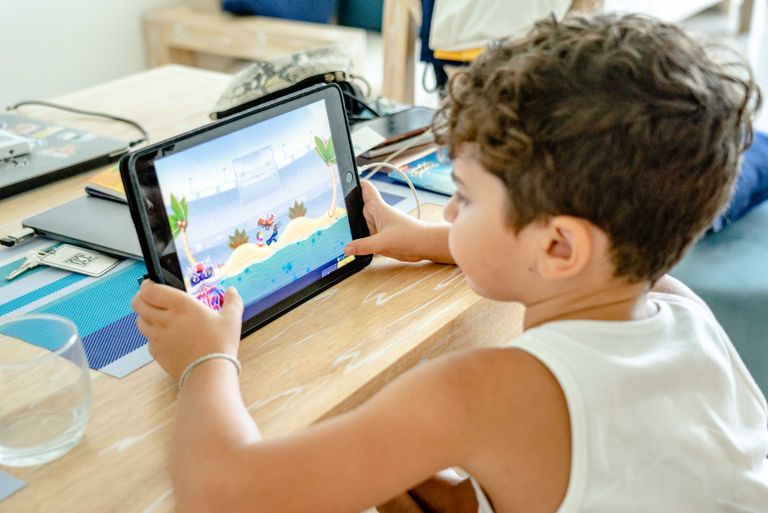



Finding the Right Technology for Your Child
No single app, game, or platform is right for every neurodivergent child. That’s why Digitally Nutritious maintains a searchable database of technology guides designed specifically for neurodivergent kids and teens.
Each guide explains why a tool may be helpful, which skills it supports, what to watch out for, and how to use it intentionally.
The goal isn’t to find “more” technology—but to find better-fit technology that supports your child’s development, strengths, and long-term growth.