

Overview
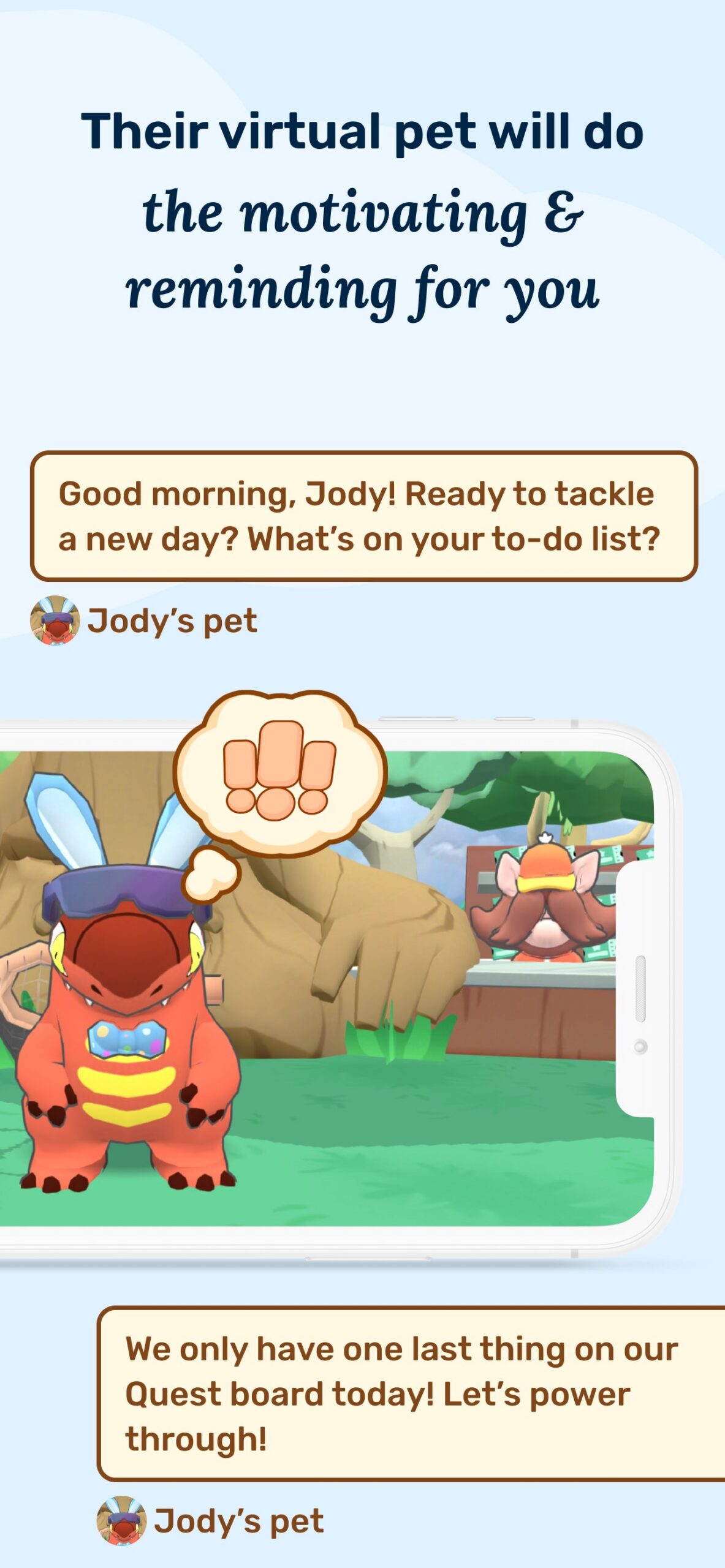
Joon is a chore and routine app for kids ages 6 to 12, built with kids who have ADHD in mind. It works as two linked apps. Parents use the Joon app to assign everyday tasks, which Joon calls Quests, such as brushing teeth, packing a backpack, or starting homework. Kids use a separate app, Joon Pet Game, where they adopt and raise a virtual pet called a Doter. When your child finishes a Quest, they tap it done in the game. You get a notification, check the work, and approve it or send it back with a note. Approved Quests pay coins that your child spends to feed, bathe, and level up the Doter.
Parents can also set up a Rewards Shop where coins buy real-life privileges, lock the game until a routine is finished, and on some devices block other apps until Quests are done. Joon App, Inc. is a San Francisco company backed by Y Combinator. Co-founder Isaac Eaves was diagnosed with ADHD at six. The company also runs Joon Health, a version for behavior therapists and other clinicians who want to follow a family’s progress at hom


Who is this best for?
Joon is best for families of children ages 6 to 12 with ADHD, executive functioning challenges, or oppositional behavior whose hardest moments come from everyday routines: getting out the door, homework, chores, hygiene, and bedtime. It runs on a simple, well-tested idea. Kids earn something they care about, right away, for tasks that don’t feel rewarding on their own. Joon helps most when your child already loves video games and virtual pets and a parent can check the app a few times a day to approve tasks. Therapists who coach parents on behavior plans can use it to keep a home reward system running between sessions. It is a weaker fit for kids who don’t care about games, for older kids who find a pet game babyish, and for homes where screen time is already the biggest fight.
The sections below explain why Joon’s features are a good match for each neurodivergency and offer practical guidance for caregivers and clinicians on how to use it effectively.
Why Joon helps
Kids with ADHD usually know what they’re supposed to do. The trouble is doing it when the task offers no quick payoff. ADHD researcher Russell Barkley has long argued that help works best at the “point of performance,” the moment and place a task happens, with rewards that come fast and often. Joon is built around that idea. A reminder pops up on your child’s device when a task should start, the day’s list stays on screen so your child doesn’t have to hold it in mind, and coins arrive as soon as you approve the work. The method behind Joon, a reward system that parents run at home, is one of the best-studied tools in ADHD care. A 2014 analysis of 32 randomized trials in the Journal of the American Academy of Child and Adolescent Psychiatry found that parent behavior programs improved both parenting and children’s conduct problems. In Joon’s own eight-week study of 90 families, parents reported about 30% less disruptive behavior, with the biggest drop in hyperactive and impulsive behavior. Joon also takes over the scorekeeping and reminding, the parts of a home reward chart that busy families usually let slide.How to use Joon for ADHD
- Start small. Pick two or three Quests for your family’s toughest moments, like leaving for school or starting homework. Add more once those go smoothly.
- Break big jobs into small steps. “Get ready for school” is really five tasks for a child with ADHD. Make each step its own Quest or subtask so your child earns a checkmark for each one.
- Set the reminder for when the task should begin. In Joon, the reminder time is also the due time. Set it for the moment your child needs to get started.
- Approve quickly. A reward that shows up two hours late loses most of its pull. Keep notifications on and try to approve within a few minutes, especially in the first couple of weeks.
- Add a few words of praise. Coins are the reward, and your words tell your child what they did right: “You started your math without me asking.” The app can’t do that part for you.
- Lock the game until the morning routine is done. Joon’s Game Limits setting keeps the pet game closed until the routine is finished, so the Doter isn’t competing with the bus.
- Swap out Quests your child has mastered. When a Quest stays near 100% for a few weeks on the Progress & Habit Stats screen, replace it with the next thing your child struggles with.
Why Joon helps
For children with oppositional behavior, including oppositional defiant disorder (ODD), parent training built around a clear, predictable reward system is the first-line treatment. Joon handles much of the day-to-day work of running that system. In Joon’s study, parents reported about 28% fewer oppositional symptoms after eight weeks, and 73% said arguments with their child went down.
Some of that likely comes from taking the nagging out of the room. When the app sends the reminder, shows the list, and pays the coins, parents give fewer of the repeated instructions that tend to set off defiance. Joon also puts parents in charge of technology access, which for many kids with significant behavior problems is the one reward that reliably works. You can keep the Joon game locked until a routine is done and, on supported devices, block apps like YouTube until Quests are finished. The Rewards Shop lets coins buy real-life privileges too, such as picking dinner or a later bedtime, so the reward menu isn’t all screens.
Joon does less for the emotional side of these problems. It has no calming tools, and for a child who is very sensitive to correction, a rejected Quest can become its own trigger.
How to use Joon for Behavioral and Emotional Problems
- Load the first week with easy wins. Include a few tasks your child already does most days so they earn coins right away. Add the tasks that cause fights once your child is hooked.
- Keep coins positive. Don’t take coins away for misbehavior. Handle consequences separately, off the app, so Joon stays linked with success.
- Write Quests as things your child can do. A Quest like “Don’t fight with your siblings” gives your child nothing to aim for. Try “Ask for a turn instead of grabbing.”
- Deliver rejections in person when you can. For a child who reacts strongly to criticism, a rejected Quest stings. Keep your note short and factual, or walk over and explain instead of letting the notification land on its own.
- Build the Rewards Shop together. Kids who push back against adult control buy in faster when they help choose the rewards. Price a few low enough to earn in one day.
- Set coin values ahead of time. Some kids will negotiate every price. Fix values for a week and change them at a planned check-in, never in the middle of an argument.
Why Joon helps
Joon supports three executive skills that often fall apart during daily routines. It helps working memory by holding the plan, so the day’s tasks sit in a list your child can check instead of a string of spoken instructions to remember. It helps with getting started, because a reminder arrives right when a task should begin. And it gives the day a clear shape. Quests are sorted into morning, afternoon, and night routines, and one setting hides everything except what belongs to the current part of the day, which keeps the list short enough to act on. You can also print the Quest list and hang it by the front door or the bathroom mirror.
In Joon’s eight-week study, parents rated their children about 12% better on working memory and 13% better on self-control. At Digitally Nutritious, we see nothing wrong with a child relying on a good tool for the long haul, as long as the child is still doing the task. The catch is that in Joon, the adult writes the plan. Kids get plenty of help finishing tasks and little practice planning them, so you’ll need to hand over pieces of that job on purpose.
How to use Joon for Executive Functioning Challenges
- Name the first step. “Clean your room” asks your child to make a plan. “Put all your clothes in the hamper” tells them where to start. Move to bigger Quests once the small ones are routine.
- Let your child pick the times. Once a week, sit down together and ask when each task should happen. You enter the times, and your child practices planning the day.
- Guess, then check. Before a homework Quest, ask your child how long they think it will take. Afterward, compare. This builds the sense of time that reminders alone can’t.
- Print the list for the room where the task happens. A hygiene checklist in the bathroom and a backpack checklist by the door keep the reminder in sight without adding screen time.
- Teach your child to check their own work. When you send a Quest back, name what’s missing. Once your child reliably finishes before tapping “done,” turn off “Requires Review” for that Quest.
- Lower the coins before you drop the list. When a Quest has stayed near 100% for weeks, reduce its coin value or move it to the printed list. Your child keeps the habit of checking the list while the reward fades.
Limitations and Things to Watch For
The research is early. Joon’s eight-week study had no comparison group, used only parent reports, and was run by the company. Parents who start something new during a hard stretch often see improvement for reasons that have nothing to do with the tool. Joon has partnered with NYU on a randomized trial comparing Joon to a version that hands out coins no matter what the child does, but results had not been published as of September 2026. Joon also markets itself for autism, though its studies have measured only ADHD and oppositional behavior. The reward is a screen. Joon turns chores into game time, with pets to level up and rare creatures to unlock. For many kids, that pull is what makes it work. For a child who already struggles to stop playing, it’s one more game to fight about. Joon suggests capping earnings at about 100 coins a day, and the Rewards Shop can move some rewards off the screen. It depends on you. Every approval takes a parent checking the app, often several times a day. When approvals lag, rewards lose their punch. Kids also tire of the same rewards, so plan to refresh Quests and rewards every few weeks. Don’t pay for everything. Psychologist Edward Deci and colleagues found that expected rewards can lower kids’ natural motivation for activities they already enjoy. Save coins for the tasks that are hard to start. The free version runs out fast. It allows seven approved Quests a day, and a morning routine broken into small steps can use most of that by 8 a.m. Budget for Premium if Joon will be your main behavior system. Check the privacy details. Joon says it collects no personally identifiable information from children and never sells family data, but the parent app’s Google Play listing says it may share some personal and financial information with third parties. On Android, app blocking needs permissions that let Joon see which apps are open. AI and content. We found no AI features in the parent or child apps. Joon Health promotes AI note-taking tools, but those are for clinicians. Joon says the game contains no violence or inappropriate content.
Bottom Line
Joon puts a proven idea, the home reward system, into an app kids actually want to open. For children ages 6 to 12 with ADHD, executive functioning challenges, or oppositional behavior who love video games, it can take over the reminding and point-keeping that wear parents down, and parents in Joon’s early study reported less disruptive behavior and fewer arguments within eight weeks. That study was small and had no comparison group, so watch for results from the NYU trial. Think of Joon as the delivery system for a behavior plan that you still run. You choose the targets, add the praise, and decide when a task has become a habit. It works best when you approve Quests quickly, keep some rewards off the screen, and give your child a growing role in planning their own day. Start on the free version with two or three Quests, and judge Joon by whether mornings and homework feel easier after two months.









Join our Newsletter!
Related Articles